For the owner
Payroll builds itself.
Hours come straight from the clock-ins. No Sunday evening rebuilding a pay period from memory, and nobody loses money over a button they forgot to press.
See one shift, end to endSoftware for commercial cleaning companies
Scheduling, GPS clock-in and payroll. Every visit records itself as it happens, so you stop carrying twelve buildings in your head.
30 minutes · Your buildings, not a canned tour
00Features
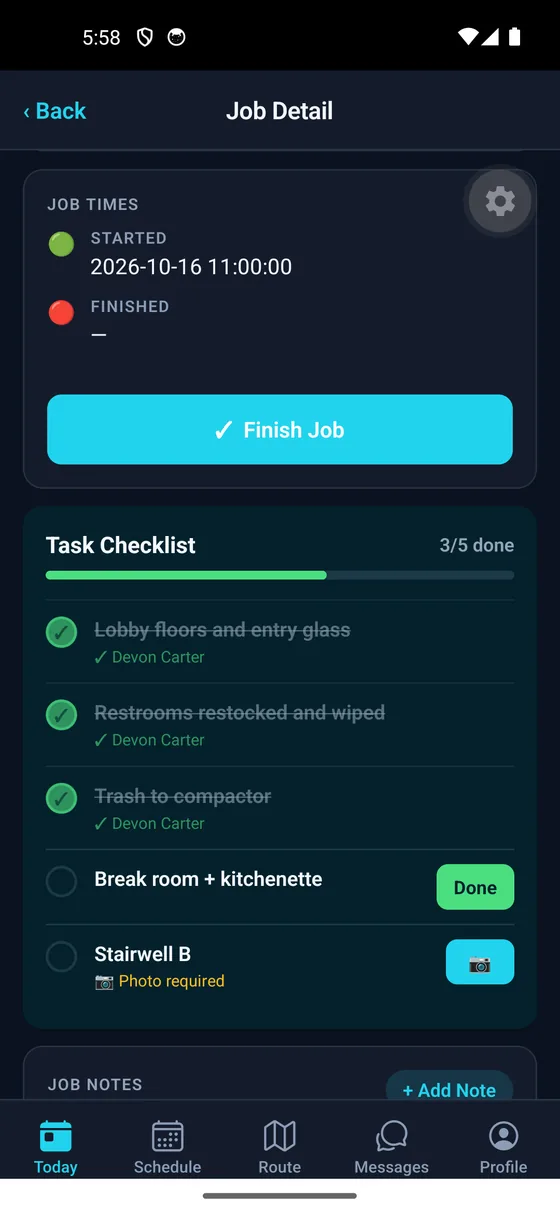
The cleaner cannot mark the job done until it is taken. You get proof of the bins, the floors, the restroom — whatever you decide matters at that building.
Task checklists
Clocking in records the location and how accurate the reading was. If a cleaner says they were there, you can check — and a poor signal is logged as a poor signal, not as someone cutting corners.
GPS verification
Print a QR sign for the wall. Anyone who works there scans it and reports a problem in seconds — no app, no login. You hear about the missed restroom before your client does.
QR feedback
Their facilities manager sees their buildings, their visit history and their invoices. Nothing belonging to any other client, ever. You grant and revoke it in one click.
Client portal
Set the order of tonight's stops and the crew follows it. No phone calls about which building is next, and no one driving back across town.
Route planning
For the owner
Hours come straight from the clock-ins. No Sunday evening rebuilding a pay period from memory, and nobody loses money over a button they forgot to press.
See one shift, end to endFor the supervisor
The dashboard updates the moment a crew clocks in, so you can see every site from a van or a desk instead of ringing round to find out.
Open the dashboardFor the cleaner
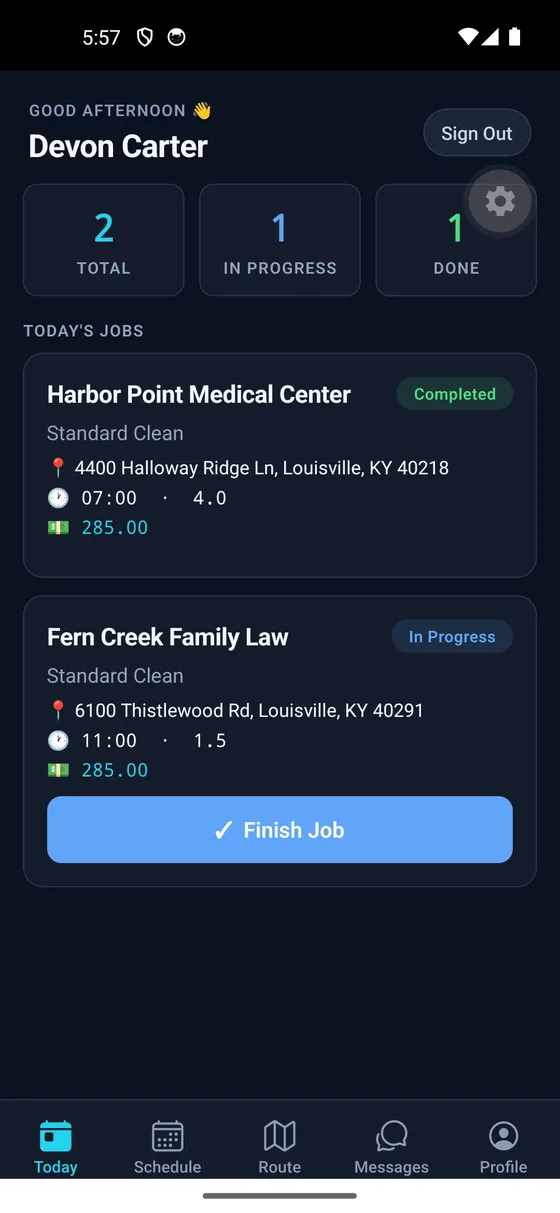
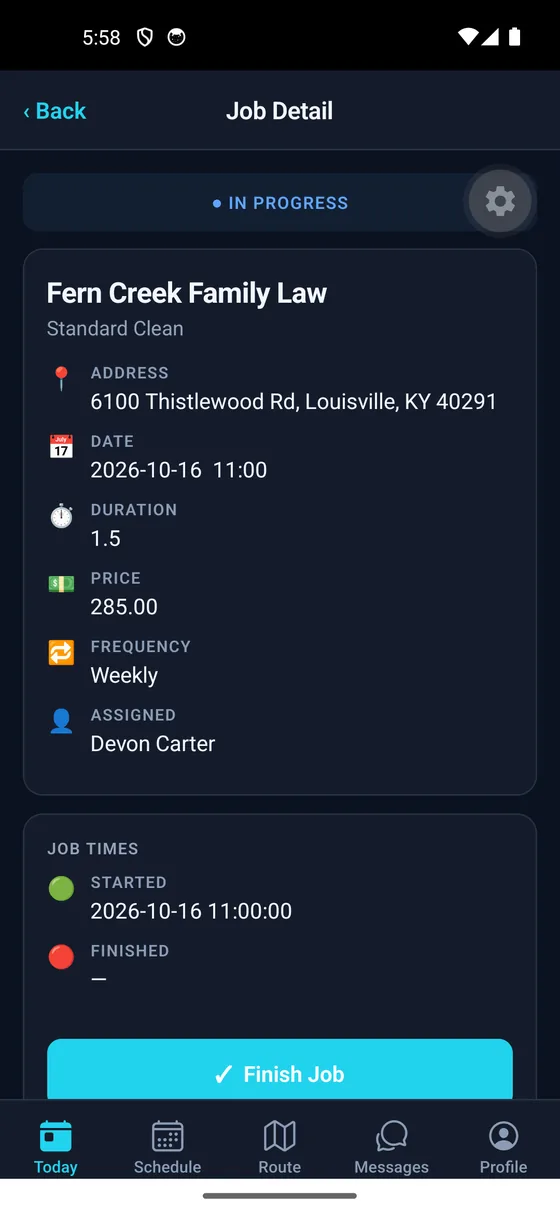
One tap to start, a checklist to follow, a photo where it counts. Bad signal at the door? The job still finishes and the hours still count.
See the crew app01Proof of service
Where the crew was, when they arrived, and what they finished. It is written down as the work happens. Nobody reconstructs a Tuesday from memory on Friday.
Clock-in
Every shift start and end carries its coordinates, plus how accurate the reading was. That second number matters: a poor fix is recorded as a poor fix, so it can never be read as proof somebody was not there.
Proof
Task checklists with required photos. Every item is done and shown, or explained in writing — before the visit can be marked complete.
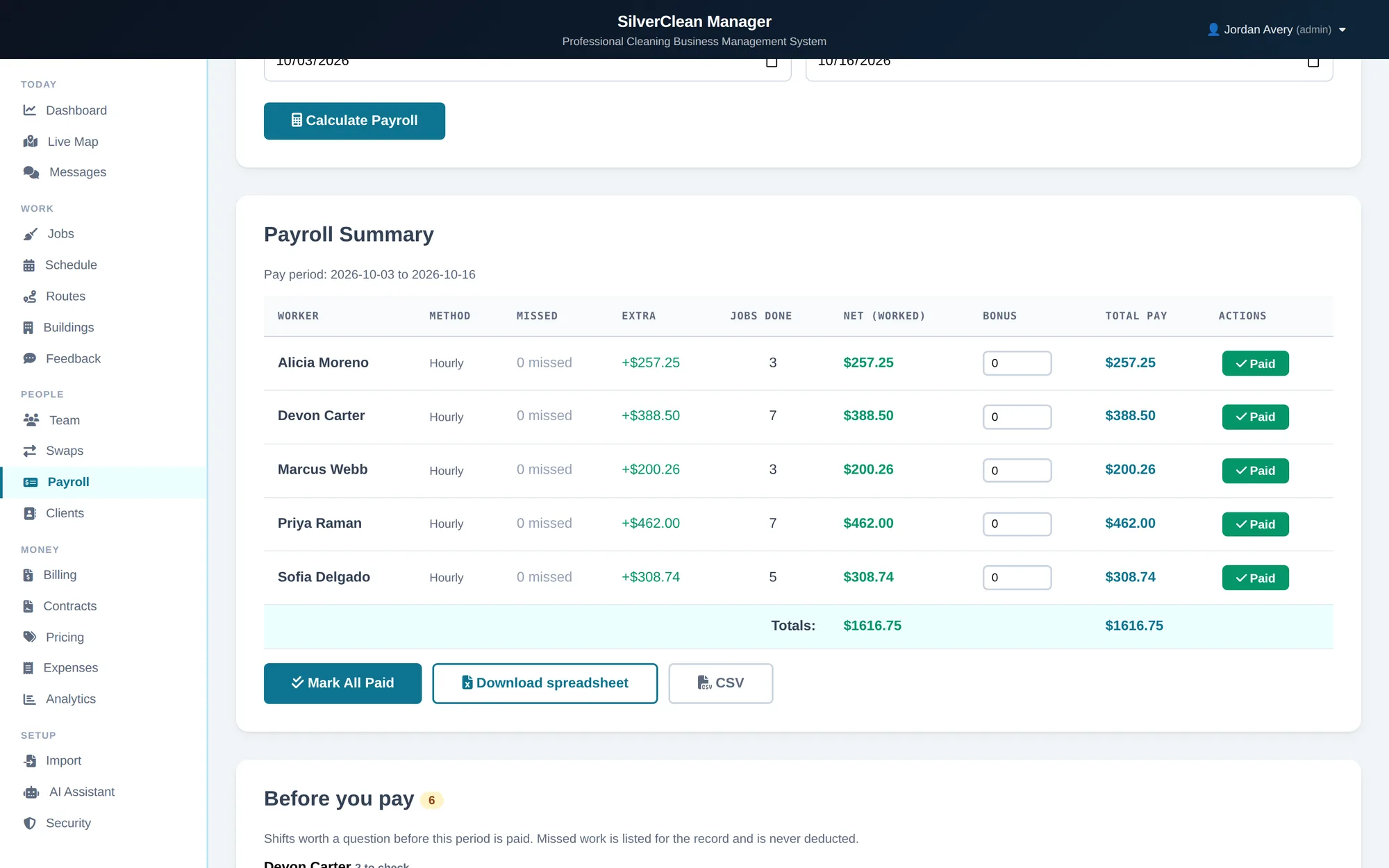
Payroll
Hours come from actual clock-ins, reconciled against what was scheduled. Exceptions surface on their own instead of being found.
02The dashboard
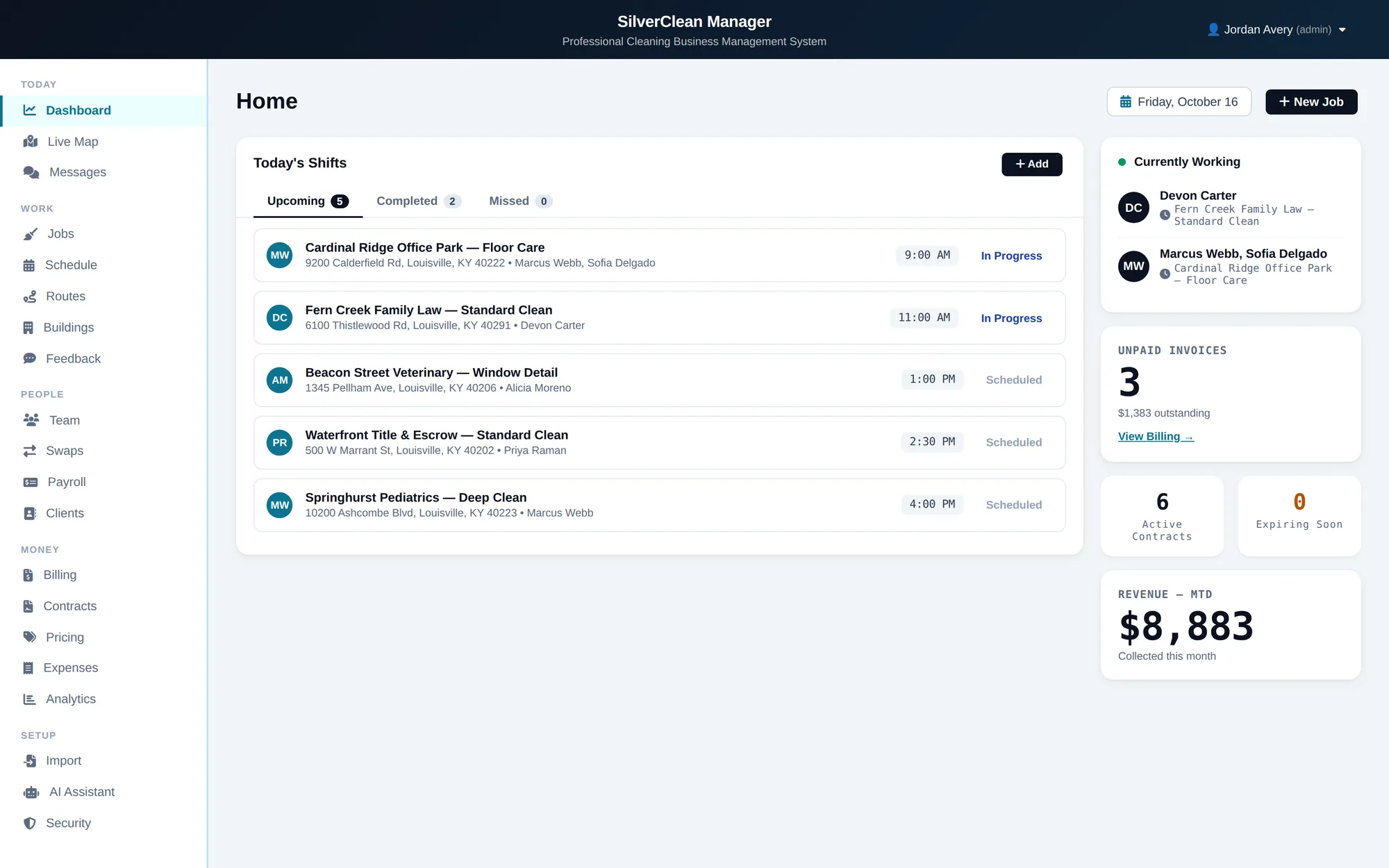
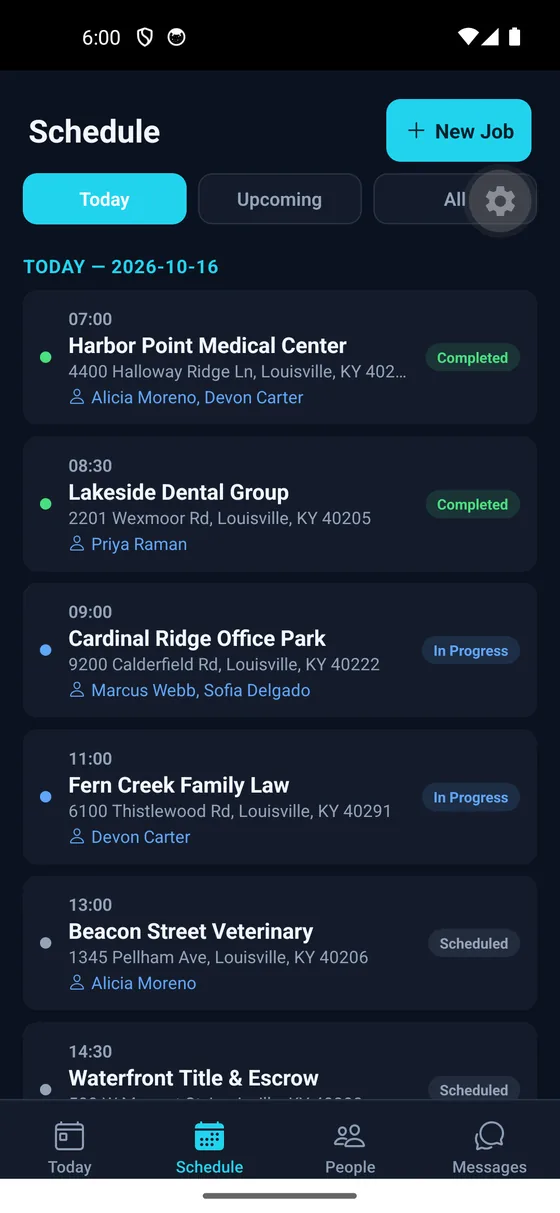
Scheduling, crews, money. Scroll to walk through what a supervisor actually looks at on a Tuesday morning.
Today
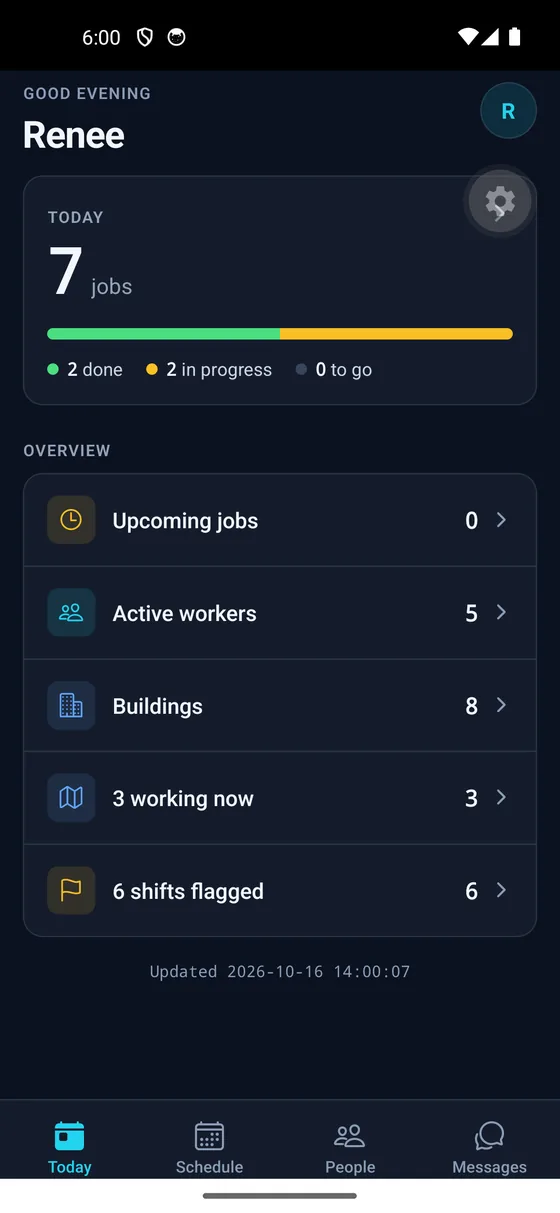
Live shift status the moment a crew clocks in — no phone calls, no group chat.
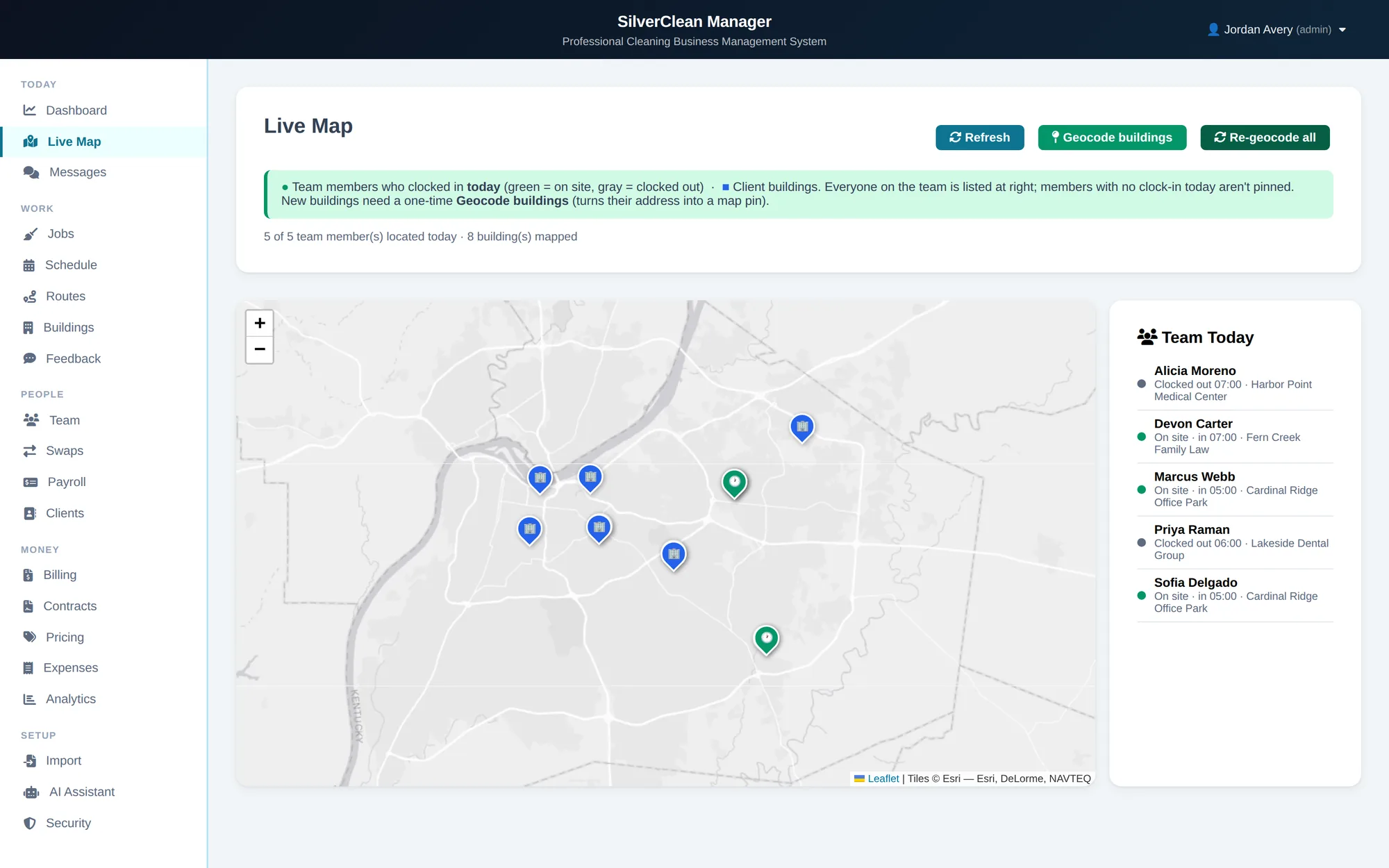
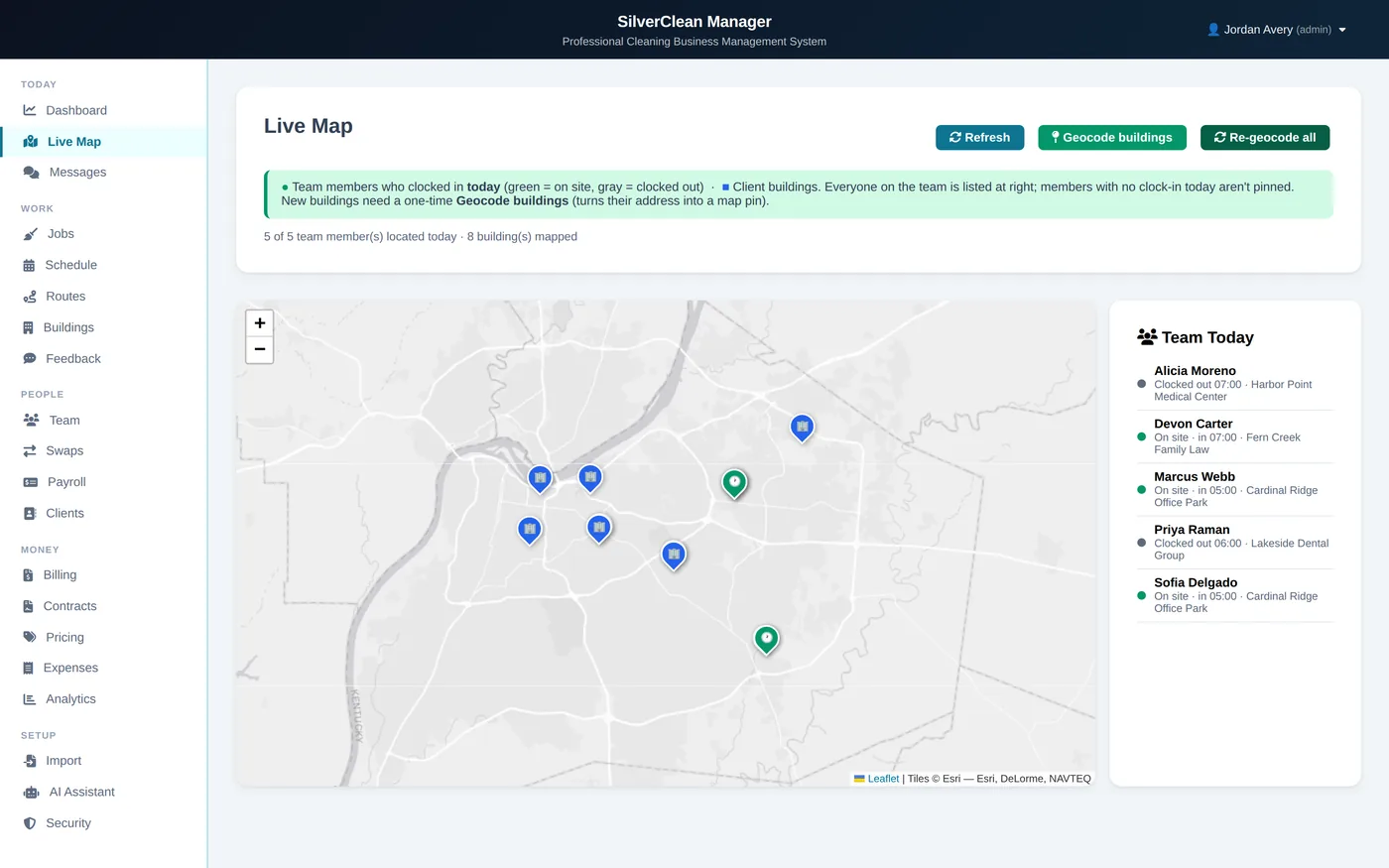
Live map
The map is built from the clock-ins. There is no second thing to keep updated.
Payroll
Built from real clock-in and clock-out times. Overtime flags itself before approval.
03The crew app
The same job, from the other side. Clock in on site, work the checklist, prove it with a photo — then it's already in payroll.
Also on the phone
The same app signs in as a manager: the whole day's schedule, who is on which site, and the crew list — from a van between buildings, not from an office someone has to drive back to.
04How one shift flows
A cleaner taps once at the door, and that tap is what you pay from. Nobody types it in again anywhere along the way.
09:00
The app records the time and the place on its own. There is no form to fill in.
09:14 — 09:48
Every item shows who did it. Where you asked for a photo, the job will not close without one.
Same morning
No phoning round to check. The screen updates the moment the crew does something.
Pay period
They come from the real taps in and out, not from a timesheet someone had to remember to hand in.
Afterwards
Nobody can delete it — not a manager, not us. If a cleaner moves on, their finished work still has their name on it.
05Your client's side
Most complaints reach you late, second-hand, and from the one person who bothered to ring. A sign on the wall and a login for the facilities manager change both halves of that.
QR · No login · Any phone
Portal · Their buildings · Their invoices
Tagged · Timed · Answerable
06Recurring contracts
Recurring sites, the same crews, week after week. That is the shape of work this was built around. It is not for one-off call-outs routed by a dispatcher.
Buildings · Slots · Crews
Access · Instructions · History
Tasks · Photos · Reasons
07The rest of the dashboard
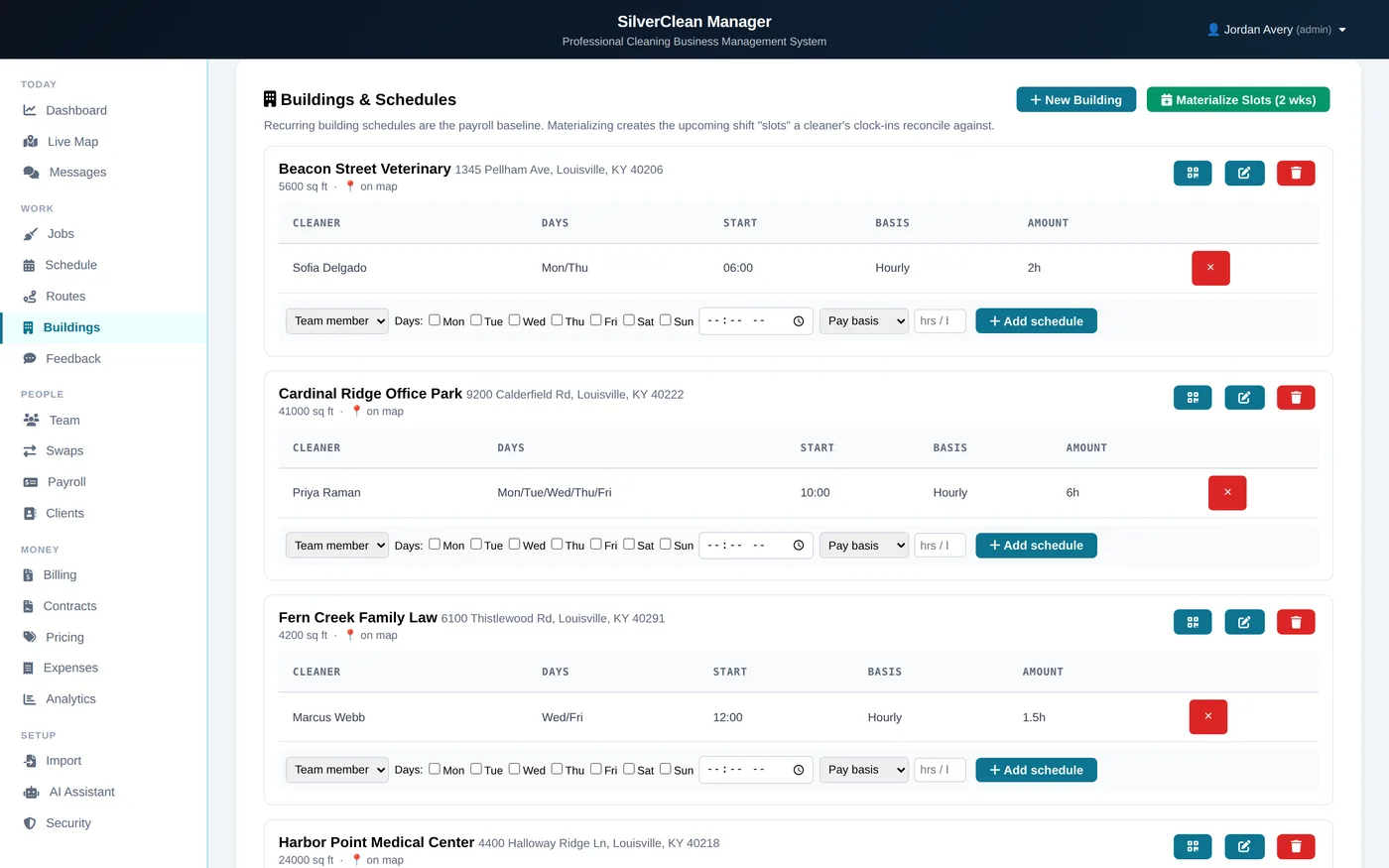
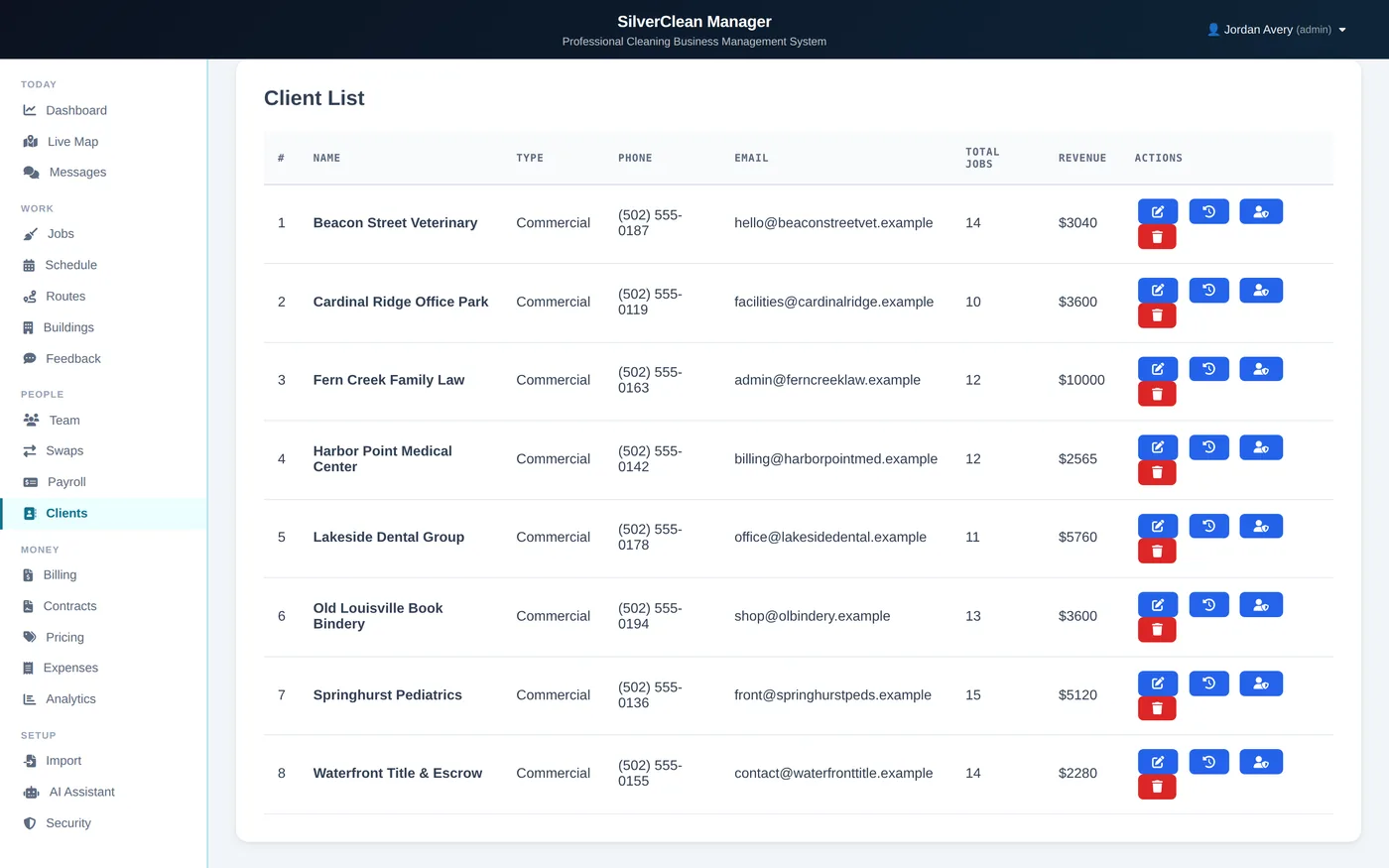
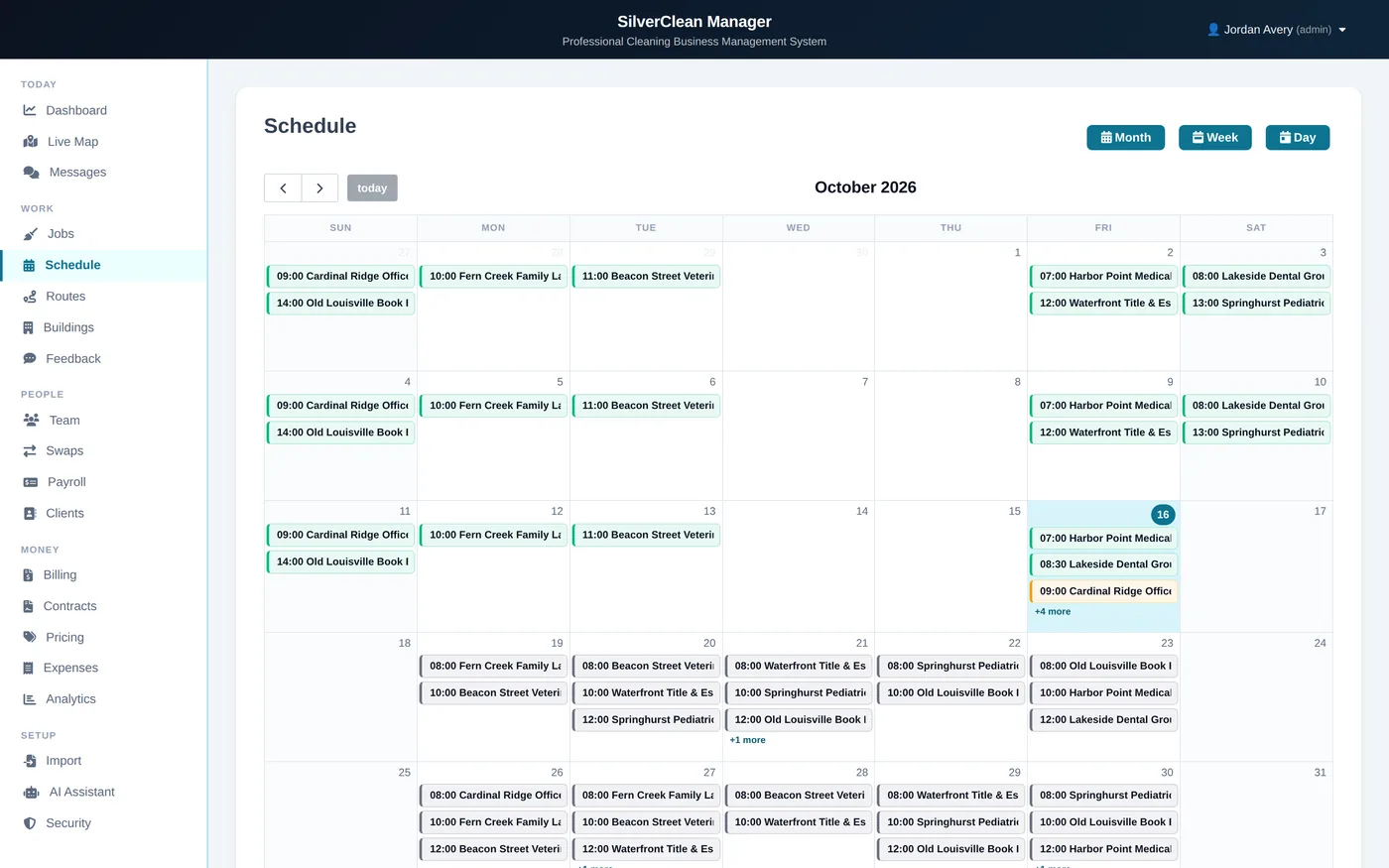
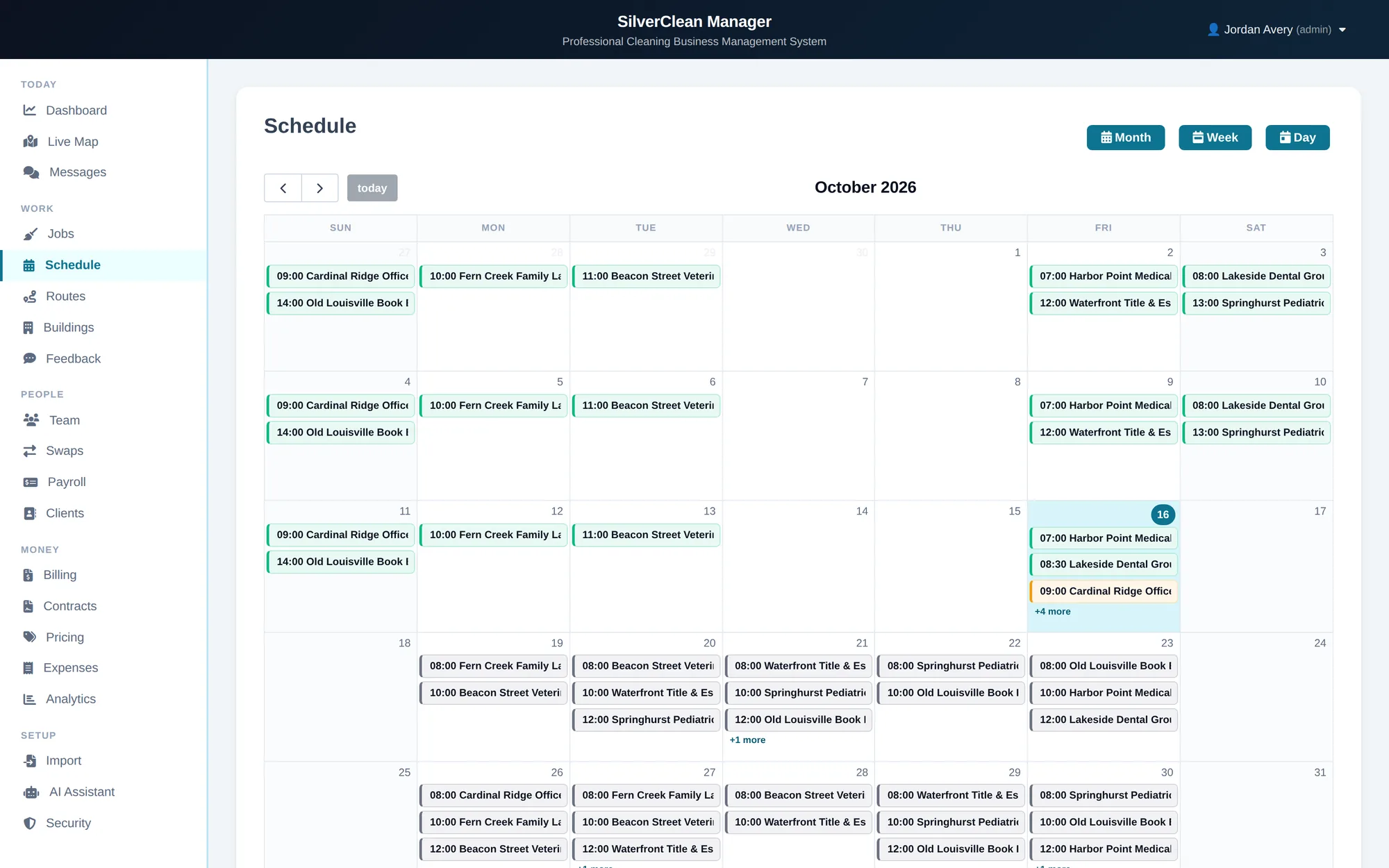
Scheduling and proof are the argument. These are the other tabs a supervisor keeps open on a Tuesday. They all read the same records.
The month at a glance, every slot on every site.
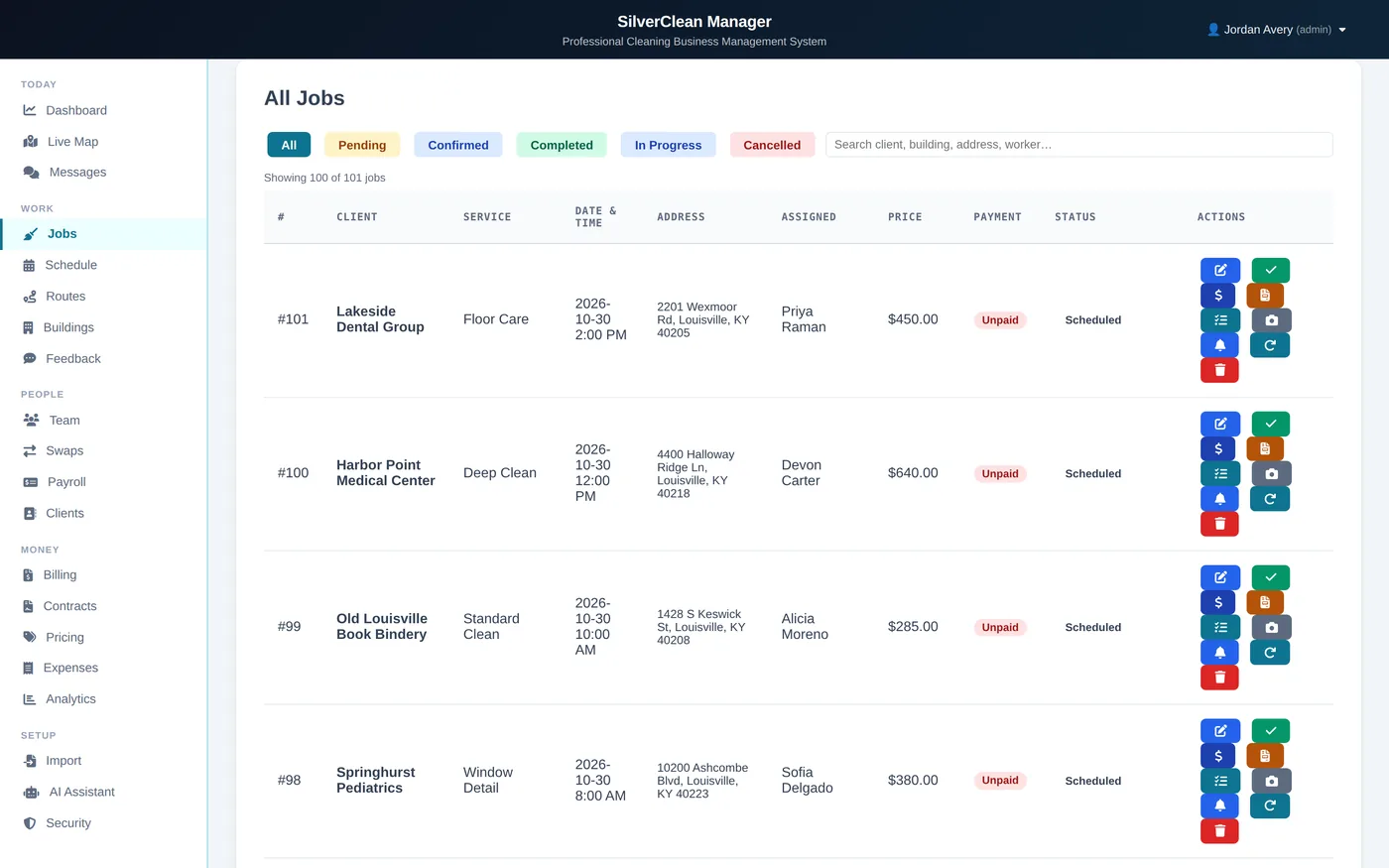
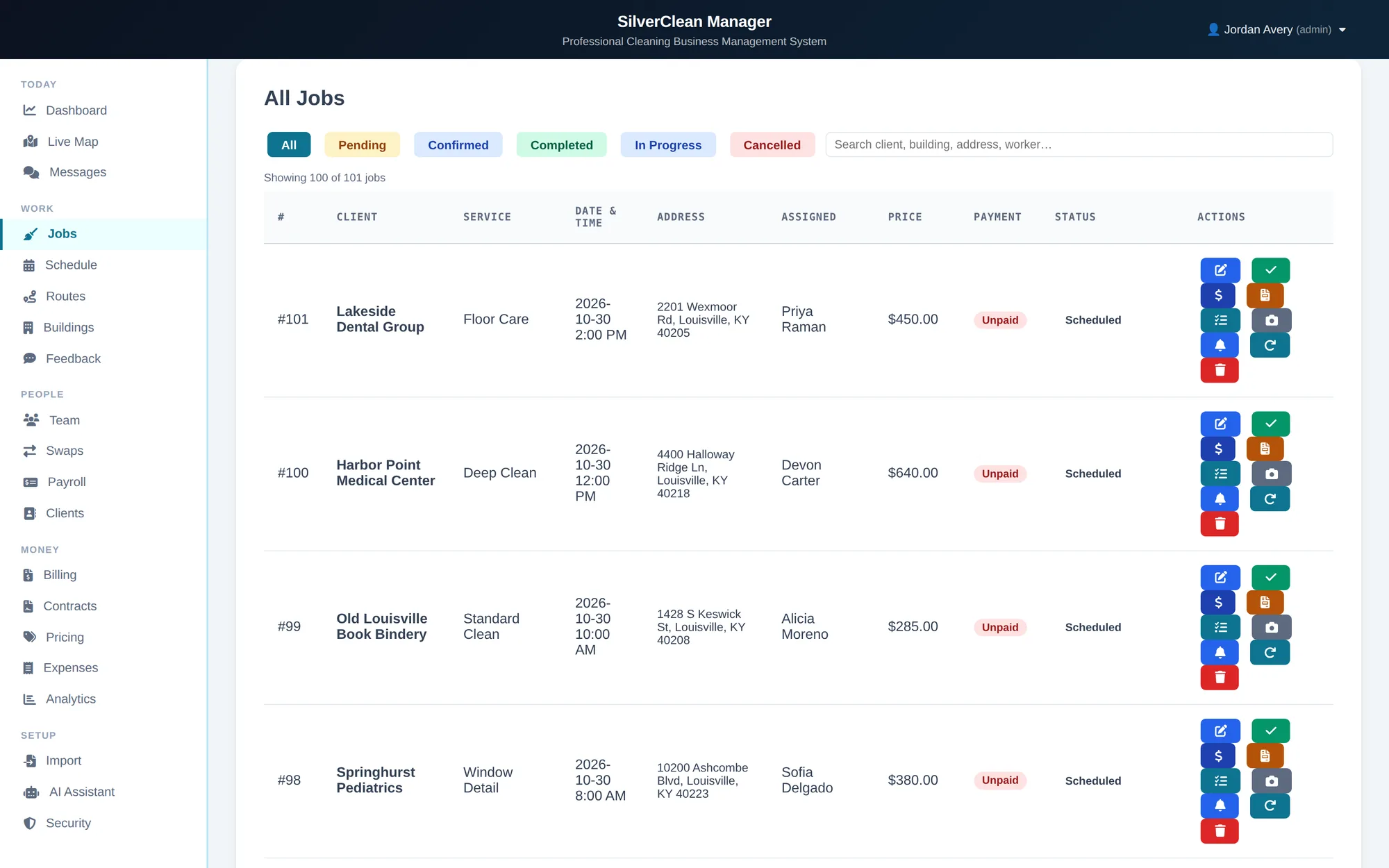
Every visit, its status, and whether it has been paid for.
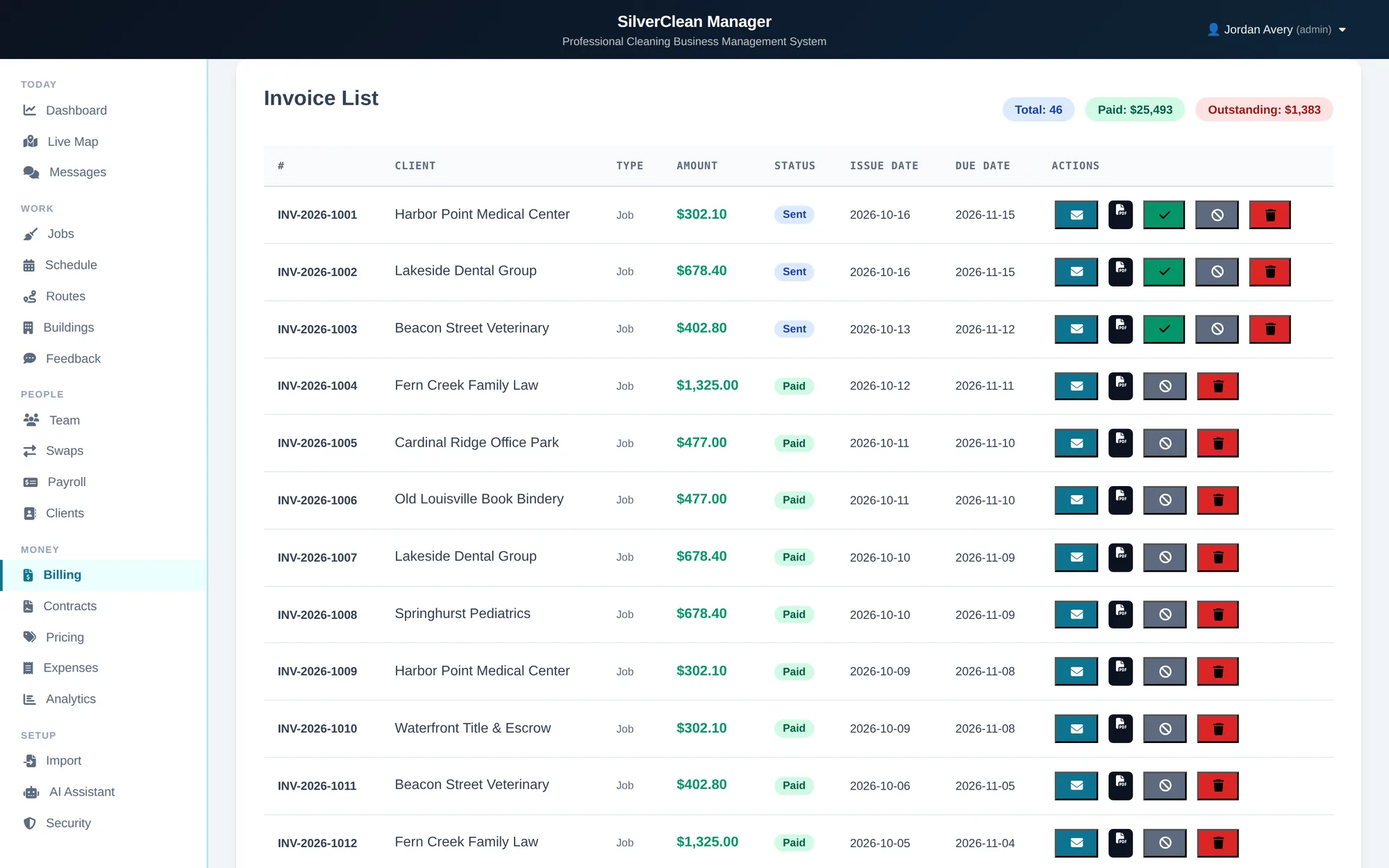
Invoices raised from the work that earned them.
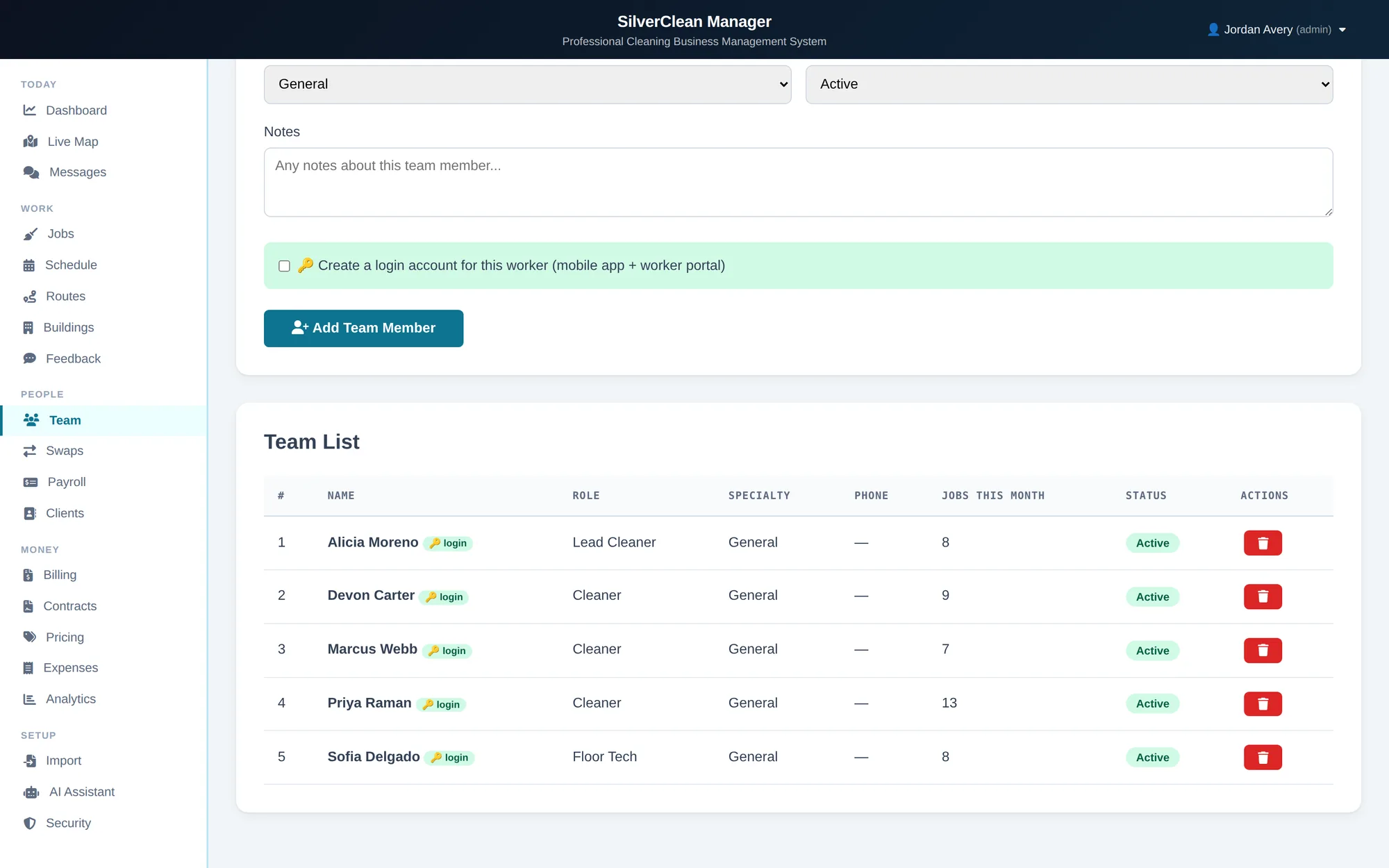
The crew, their role, and how much they've worked this month.
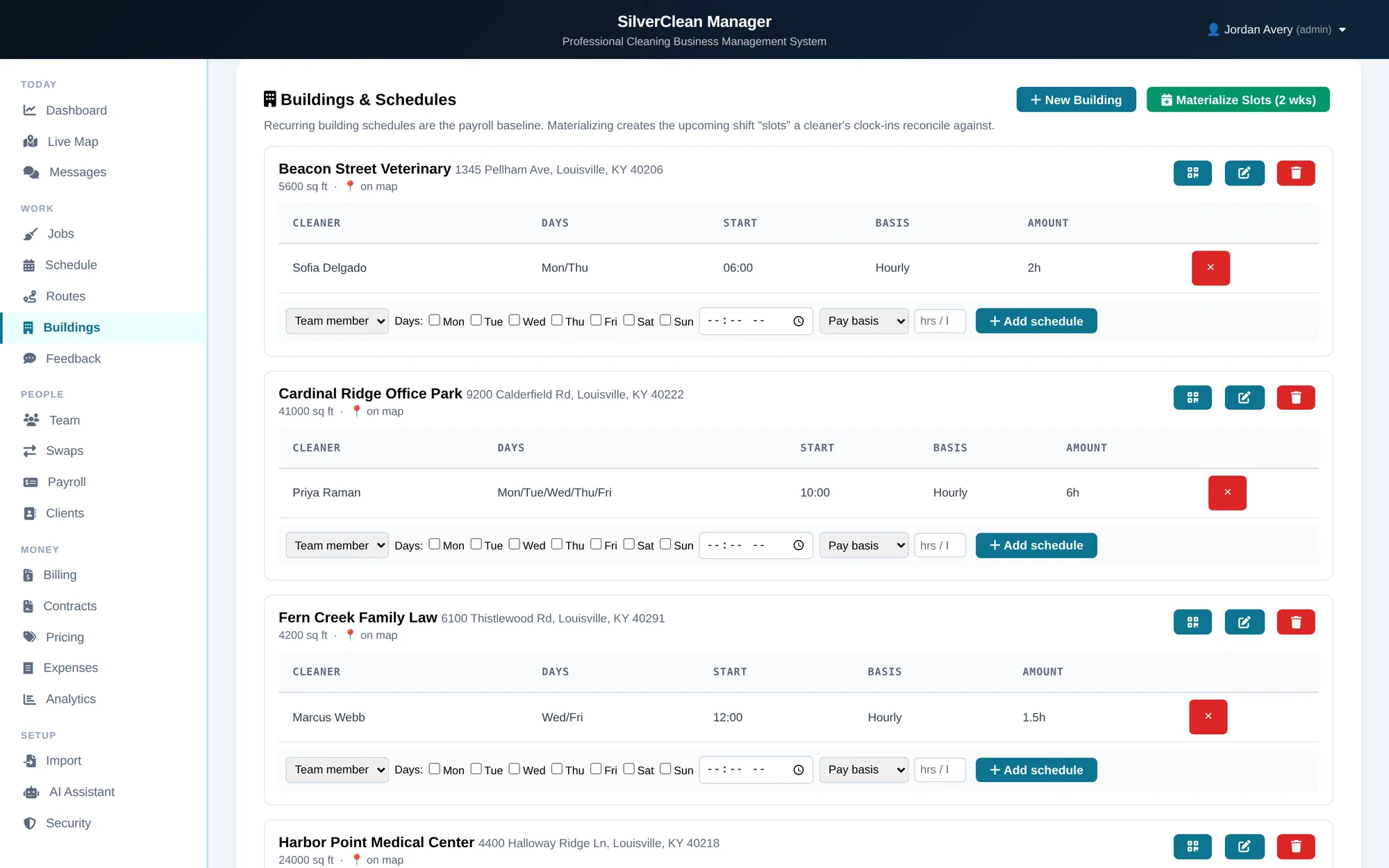
Each site's recurring slots, and who covers them.
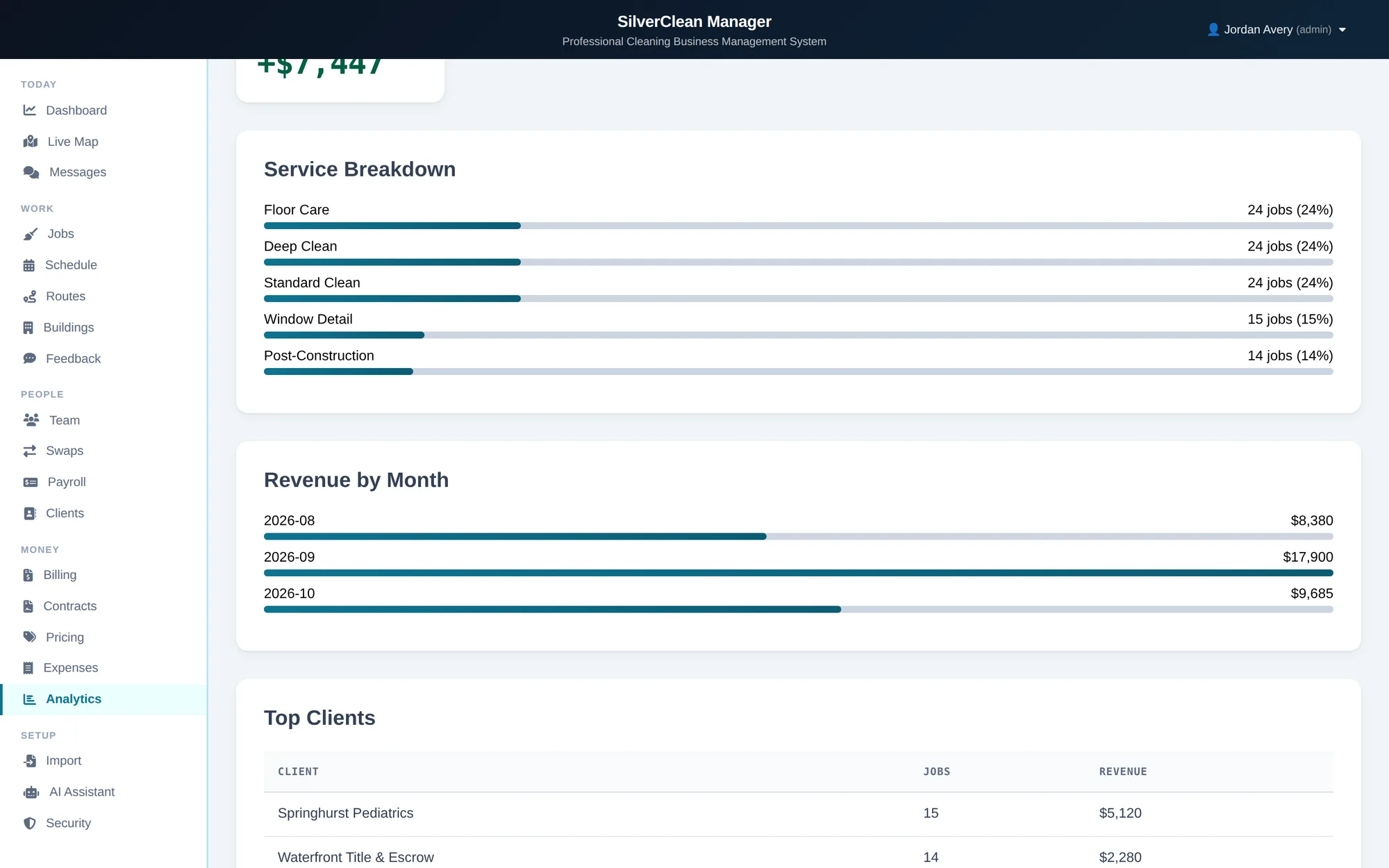
What the month actually came to.
08Pricing
Add every building and client you have; it costs the same. Pick a plan by the size of your crew. Scheduling, the mobile app, GPS clock-in and photo proof are in all three.
A small crew, and you still clean too
You run the schedule, crews do the cleaning
Several supervisors, or more than one town
09Getting started
Thirty minutes, screen-shared, using your buildings and your crew names. You will see your own schedule in it before you decide anything.